Vincentwei1021/video-shotcraft
- Source
- GitHub
- First trending
- Category
- Media
- GitHub stars
- 21,319
- Main language
- TypeScript
This page introduces an external open-source repository. It is not an HDATF product.
What it does
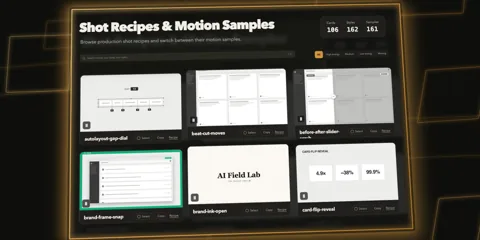
Video-shotcraft is an agent skill and production toolkit for teams that need editable product demonstrations rather than generated footage of imagined interfaces. It takes actual product screenshots, approved copy, visual styling and audio, then guides Claude Code or Codex through shot selection, storyboarding and Remotion animation to produce source projects and MP4 videos. Its shot recipes describe camera movement, transitions and timing, while the inspected example implements screenshot placement and animation as deterministic React compositions. The example workbench manifest imports the composition's timing tables and declares separate shots, captions, transitions, audio and editable property schemas. Motion Workbench imports that manifest into browser editing tracks and renders edited clips through Remotion, but a project needs its own manifest and exposed properties for meaningful structured editing. JianYing export preserves some caption and audio tracks while internal scene animation remains baked into video clips, so it is not unrestricted conversion of React animation into native editor objects. The workflow requires an agent environment, Node.js, Remotion rendering tools, access to source screenshots and suitable media tools, with separate checks for Remotion and audio licensing. Frame review and independent agent review are prescribed procedures rather than proof of automatic quality enforcement, preview effects can differ from final rendering, and neither rendered quality nor editor compatibility was independently tested here.
License
Apache-2.0 Permissive, with a patent grant. Commercial use is allowed; keep the notices and state your changes.
More in this category
- nexu-io/openmotion
OpenMotion is a local video workspace for creators who want to adapt reference videos without losing editable source. Users provide a reference clip or link, a script, brand materials and media. An external agent rebuilds scenes as HTML, CSS and JavaScript, while Motion.md records shot order, timing and replaceable assets. Studio edits the same project files and exports MP4 together with reusable source and media. The package declares Node.js 22.18 or newer, while the current README recommends Node.js 26.11.1 for source development. Preview and rendering also require Chrome or Chromium, FFmpeg and FFprobe. Optional media generation uses the user's provider accounts, so local project storage does not mean every generation step stays on the device. The export verification source checks encoding, duration, decoding and seeking, but leaves creative review to people, and social publishing remains planned rather than implemented. - kajisho5/ffmpeg-skill
ffmpeg-skill gives coding agents structured tools for editing local video and audio instead of inventing FFmpeg command strings. It accepts source media, cut ranges, caption files and delivery settings, then produces edited files and JSON reports. Its 42 tools cover cutting, joining, silence removal, aspect changes, captions, overlays, sound processing and platform exports. The prescribed workflow measures the source first, edits without reencoding where possible, and measures the result again. Tool input schemas are derived from the same argument parsers used by the scripts, while an MCP server translates tool requests into script arguments. Output checks cover measurable properties such as duration and loudness, and contact sheets support a separate visual review. Local operation requires Python 3.10 or later and FFmpeg 6.1 or later, while speech transcription requires an additional local engine that may initially download model weights. The tools do not identify subjects or decide which scenes are interesting, and technical verification does not guarantee correct framing, readable captions or an acceptable sound mix. - hitkeeen/blender-ai-mcp-addon
This project documents a Blender assistant with visual chat and an MCP server, a standard interface through which external AI clients call tools. It describes tools for inspecting scenes, creating and editing objects, assigning materials, searching assets and exporting scenes. A separate Studio window presents conversations, viewport snapshots, approvals and a task board. Connections cover supported cloud providers, local Ollama models and custom endpoints using specified protocols. Team mode assigns planning, execution and review to separate roles and processes scene changes sequentially. One correction attempt is allowed before a second failed review stops the chain. Built-in operation approvals and undo support do not make Python execution a security sandbox, and external clients control their own approvals. The inspected repository contains documentation and images but no implementation source, so these capabilities are documented claims rather than independently verified behavior. - emaspa/openxlr
OpenXLR is a Linux audio mixer intended as a replacement for Wave Link. It uses PipeWire channels and mixes to route application audio and microphone inputs to listening outputs and virtual microphones. A background daemon owns the devices and audio graph, while the graphical interface, terminal mixer and OpenDeck plugin act as clients. Microphone processing and plugin inserts can use software helpers, with some processing available on supported Elgato hardware. Any capture source recognized by PipeWire can join the mixer, but hardware controls are restricted to the supported devices. Its HTTP and WebSocket control interfaces use a private Unix socket with peer credential checks. The architecture separates the graphical interface from the core and keeps audio running when the interface closes. Wave XLR Pro hardware mixing remains experimental, and Windows audio plugins require Wine and yabridge rather than native Windows application support. - Murea-Labs/InWorld
InWorld combines the Murea-Mind story agent application with the Murea-Fast audiovisual generation service for users who want an interactive filmed story rather than isolated text-to-video clips. User actions, a world description and character, object or location reference images become short videos with sound, continuing choices and a saved branching story. The agent plans a scene, applies deterministic checks, requests generation, records state changes and has a critic inspect generated frames to adjust later choices and selected world facts. Images with fixed descriptions anchor recurring assets, while world state and per-clip records preserve changing conditions, reference order, prompts, generation parameters and execution traces. The released generator is an eight-step distilled derivative of LTX-2.5 served through bundled SGLang, and its asynchronous HTTP API accepts generation or continuation jobs and returns job status and downloadable MP4 output; the report's Murea-Pro is not the released model. Starting requires a Linux CUDA GPU service, the Murea-Fast checkpoint and license-gated LTX-2.5 base components, ffmpeg and ffprobe, plus Python 3.12 and text and image model API credentials for the agent. The documented sampling contract fixes 24 fps and eight steps, allows at most 481 frames including a continuation prefix, and limits single-GPU agent clips to the tested five seconds; the reported single-H20 five-second generation reserved up to 80,472 MiB of PyTorch GPU memory, so ordinary desktop deployment is not demonstrated. These are upstream measurements rather than independent verification, and regenerated continuation audio, unreliable three-character scenes, unauthenticated services and separate model-weight license conditions remain material limits.
Only repositories in the ranked Trendshift lists are included, and the lists are used only to find candidates. We do not copy their ranks. Descriptions, licenses and star counts come from each GitHub repository. The notes are our own reading. We have not tested these projects, and a place on a trending list does not prove quality.