trina-app/trina-ax
- Source
- GitHub
- First trending
- Category
- Agents
- GitHub stars
- 424
- Main language
- TypeScript
This page introduces an external open-source repository. It is not an HDATF product.
What it does
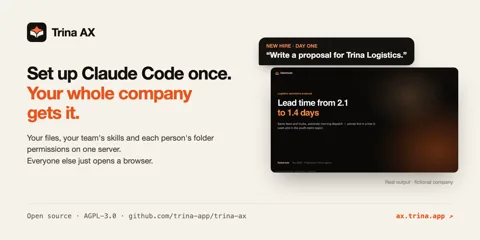
Trina AX is a team AI workspace that places shared files, skills, conversations and connected tools on one team server rather than asking each employee to assemble an individual agent environment. Its architecture documentation describes a Bun, Hono and SQLite server with Claude Code, Codex and an experimental API engine, while browser and app clients submit questions to that server. The engine's built-in shell and file tools are disabled, and documented file requests travel through a bridge and gate to server tools under the identity of the person asking. The inspected tool registry validates inputs, checks whether a tool is currently available and converts denied operations into error results, while the access policy implementation handles personal folders, project membership, additive folder grants and limited inheritance. Credential selection code considers an eligible personal connection, then assignments to a person, group or team, and skips unusable connections rather than selecting another member's private account. Team use requires an API key or a subscription whose provider terms permit that use, and a sharing switch is software policy rather than a way to bypass provider authorization. The meeting-summary example produces source-linked decisions, actions and open questions as a human-reviewed draft, while the security documentation warns that self-hosting still sends required context to the chosen provider and revoking access does not erase earlier answers. This was a read-only review of the full README, official guides, an example and implementation code, not a deployment, security audit or independent reproduction of the README's synthetic file-finding test.
License
AGPL-3.0 Network copyleft. Offering a modified version as a service also requires releasing the source. Review before any product use.
More in this category
- Developing-Gamer/agent-sim
agent-sim is an early-stage tool that lets AI agents test iOS applications using Apple's simulator runtime on x86-64 Linux. It takes simulator app bundles or unencrypted device builds together with interaction commands, and returns screen text, screenshots and action results. Its command-line interface and Model Context Protocol server expose installation, launch, accessibility snapshots, taps, typing, scrolling and waiting for screen changes. Underneath, x86Sim combines macOS interface compatibility, ARM code translation and CPU-based graphics rendering, while agent-sim adds accessibility hooks, a device pool and a browser viewer. The app converter changes platform metadata and explicitly rejects encrypted App Store binaries instead of decrypting them. Setup obtains Apple's encrypted runtime archive and its decryption key from Apple's asset service through the upstream fetcher; this review did not exercise that service or establish permission under Apple's terms. The compatibility layer omits simulator sandbox enforcement, and the project warns that simulator processes are not sandboxed. The documented starting environment is Ubuntu 24.04 on x86-64 with substantial CPU, memory and disk resources, and it requires runtime downloads and privileged setup steps. Known limitations include Safari freezes and broken browser video, and the authors' performance and fidelity claims were not independently reproduced here. - pierridotite/mobile-agent-testers
mobile-agent-testers helps mobile app teams explore usability and functional problems with parallel AI testers. Inputs include an app repository or build, a task brief and personas specifying devices, languages and display settings. GitHub Actions gives each selected persona its own Android emulator or iOS Simulator and Claude Code agent. The agent reads screenshots and accessibility elements, then taps, swipes and types to pursue its assigned goal. Briefs support open exploration, feature walkthroughs, bug reproduction and comparison of two versions. Outputs include reproduction steps, numbered screenshots and structured findings, with artifacts encrypted before upload and collected locally for a summary. Model access uses Claude credentials or an Anthropic-compatible API, and optional duplicate grouping sends report titles, screens and severities to Claude. The environments are simulated devices, findings can misread screens, and variable exploration does not replace scripted regression tests. - bookwjitchieni1986/blender-ai-mcp-addon
This project describes a Blender add-on for artists and developers who want AI-assisted scene editing. Its documented inputs are user requests and scene context, with scene changes and viewport previews as outputs. The README describes chat, object inspection, materials, asset search and export tools. It also describes managers assigning work, workers editing scenes and reviewers checking results in sequence. MCP is the connection protocol through which external AI clients can call program tools. The documented bundle targets Windows x64 with Blender 4.2 or later and needs a tool-capable local model or external model API. Only documentation and release assets were found, so the core implementation was not inspected. The README says Python validation is not a security sandbox and external clients control their own approvals. - diggerhq/opencomputer
OpenComputer lets a development team assign coding work from Slack. It accepts instructions in a conversation and works on connected repositories through a remote coding agent. Users can see progress and send further instructions, while a pull request is the intended deliverable. The reviewed session code connects streamed agent events, questions and permission prompts to the conversation. Workspace code creates session-specific working directories and Git branches. Official self-hosting documentation requires cloud infrastructure, Slack and GitHub applications, identity configuration and model credentials. The README also describes Cloudflare services, so self-hosting does not mean an entirely offline single-machine application. Its statement about container isolation conflicts with a separate permissions document that describes shared session privileges and unfinished isolation. Neither that security boundary nor the advertised speed advantage was verified by execution here. - simplexai-labs/linger
Linger is an agent system for conversation and work using a personal computer and connected work sources. It describes turning email, chats, meetings and files into entity-based wikis and task results. Documentation separates the personal wiki from each agent's memory and describes checking proposed changes against existing pages while retaining provenance and change logs. Search documentation ranks wiki pages and originals separately using keyword search and fusion across multiple queries. The inspected wiki recovery code includes duplicate-execution locking, failure retries and checks for already completed work. It distinguishes the server from executors on connected computers and supports subscription runtimes as well as local models. Local execution therefore does not establish that every connection or model call remains off external services. Preparation requires server configuration, source permissions and memory and storage appropriate to the selected model, while performance and memory-accuracy claims were not reproduced here.
Only repositories in the ranked Trendshift lists are included, and the lists are used only to find candidates. We do not copy their ranks. Descriptions, licenses and star counts come from each GitHub repository. The notes are our own reading. We have not tested these projects, and a place on a trending list does not prove quality.